
Preview






Description
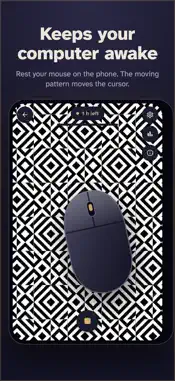
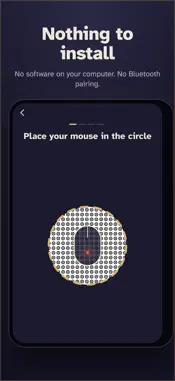
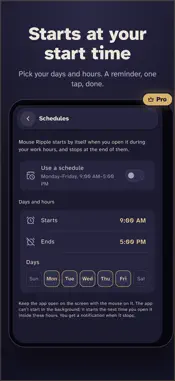
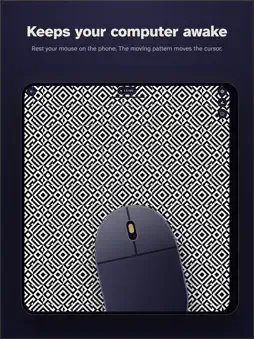
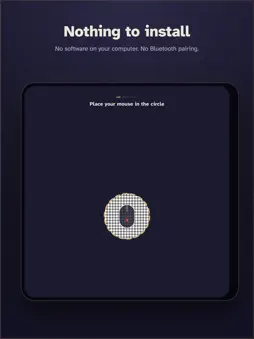
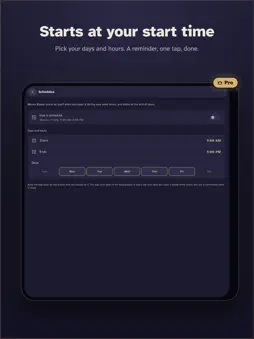
Mouse Ripple is a mouse jiggler that runs on your iPhone. Put an optical mouse on the screen, tap Start, and the moving pattern makes the cursor move, so your computer doesn't sleep, lock or dim. Nothing to install on the computer: no cables, no drivers, no desktop app. Use it to keep your computer awake during long downloads and installs, presentations, video calls, dashboards and reports that run while you step away. CHECK YOUR MOUSE FIRST Not every mouse can see a phone screen. The 10-second mouse check tells you whether yours works and picks the pattern that moves it best. Red-light optical mice work best. Laser and infrared mice usually can't see a phone screen; the check tells you so instead of leaving you guessing. HOW IT WORKS 1. Open Mouse Ripple and run the mouse check. 2. Place your mouse on the iPhone screen. 3. Tap Start. The pattern moves the cursor in small steps and brings it back, so it never drifts into a corner. 4. Tap Stop, or set the auto-stop timer. FEATURES - Mouse check and calibration for your mouse's sensor - Patterns tuned for different optical sensors - Vibration option for a gentle nudge - Brightness setting, so your mouse sees the pattern clearly - One tap to start: choose 1 hour, 2 hours, until a set time or no limit. It stops on time, with a notification - Today's stats and your workday streak MOUSE RIPPLE PRO: ONE-TIME PURCHASE Pay once, keep it. No subscription. Shared with your family through Family Sharing. - No ads, anywhere - Every pattern, and new ones as they come - Near-black mode: a dark screen while the mouse mover runs - Low-wear mode: shifts the pattern to reduce static-pixel wear - Schedules: your days and your hours. A reminder at your start time, one tap, and it stops at your end time - Stealth timing: moves like a person, with varied speed and short pauses - Vibration strength you choose - Full stats history The free version keeps the core job: the mouse mover runs as long as you need, with ads. GOOD TO KNOW - Mouse Ripple only shows moving patterns on your iPhone. It doesn't connect to your computer or install anything on it. - Keep the iPhone on a flat surface and the screen on while it runs. - Follow your employer's IT and security policies before using any mouse jiggler at work. Terms of Use: https://www.apple.com/legal/internet-services/itunes/dev/stdeula/ Privacy Policy: https://sites.google.com/codetailor.in/mouse-ripple-auto-mouse-mover Support: [email protected]
What's New
Version 2.0.0 2026-11-23
A new look and a simpler start: tap once, choose how long, and Mouse Ripple stops on time. A quick mouse check finds the pattern your mouse follows best. Schedu...A new look and a simpler start: tap once, choose how long, and Mouse Ripple stops on time. A quick mouse check finds the pattern your mouse follows best. Schedules now use your own days and hours. Plus many fixes. Technical Analysis
Package Overview Basic metadata
Bundle ID
in.codetailor.mouseJiggler Current Version 2.0.0
Minimum iOS 15.0
Package Size App Store Size
Package Metadata 1 / 3 version records
Detailed binary, privacy manifest, framework, and Info.plist results have not been indexed for this package yet. The verified App Store and archive metadata above remains available.
Developer Information
Known Version Records
1 version record with stored package metadata • 3 known version records
Stored metadata does not guarantee a package is currently available to download.
| Details | Version / IDs | Version date | Action |
|---|---|---|---|
| 38.16 MB | v1.0.6 App Store ID: 886314503Build: 1.0.6 | 2026-06-04 07:18:20 | Get Version |
| Not archived | App Store ID: 882594159 | Unknown | Request Version |
| Not archived | App Store ID: 880964145 | Unknown | Request Version |