
Preview





Description
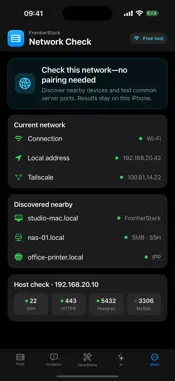
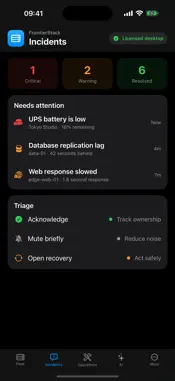
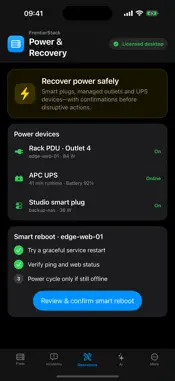
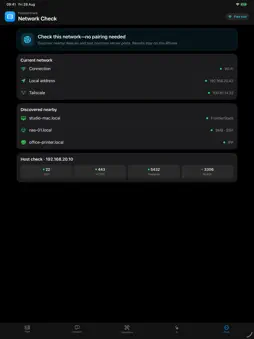
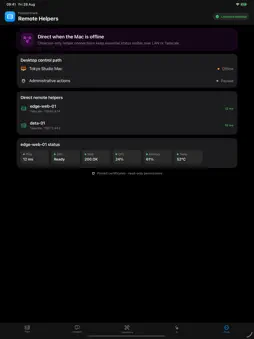
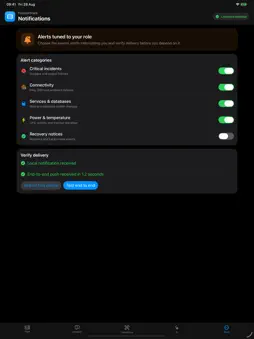
FrontierStack puts the status and recovery tools an administrator needs on an iPhone or iPad. Use Network Check & Device Discovery without pairing or a desktop licence. See the current network - its Wi-Fi name, subnet, local addresses and Tailscale status - discover nearby services, and check a host for common SSH, web, database and infrastructure ports. These results stay on your device. All other features require pairing with a currently licensed FrontierStack desktop app for macOS. Once paired, FrontierStack provides: • Fleet status at a glance, with health dots for Macs, servers, services and devices • Places: every site and client from your Mac, worst first, with what needs attention at each • Home Screen and Lock Screen widgets, including a Place widget for one site or client (iOS 17 or later), refreshed in the background from time to time • Reachability that tells a stopped monitor from a server that is down, and reaches servers over Tailscale when their usual address stops answering • Incidents, acknowledgement that stops escalation calls, and a Message Log with the full text of every alert your Mac sends — plus a daily all-clear when things are fine • Needs Attention: approvals waiting on your Mac, and packages or containers that are failing or using too much CPU or memory • On site: the app recognises which of your sites you are at and checks that site's devices straight from your iPhone over the local network • Smart plugs, managed outlets, UPS devices, guarded reboots and power cycles • The AI Administrator, running on your Mac, with formatted answers and a pause for your approval before risky actions • Direct SSH, remote shell and remote helper agents over LAN or Tailscale — even when the Mac is offline • Connect your VPN with one tap through a Shortcut you create once The app is designed for quick decisions: Fleet shows what needs attention, Incidents collects alerts, Operations groups monitoring and recovery, and More keeps settings, help, shell access and network checks within reach. Security is built around signed requests, pinned certificates, per-device pairing, App Lock and permissions you set on the Mac. Sensitive actions ask for confirmation, and the AI Administrator asks before your first question is shared with the AI provider your Mac uses. Requirements: iPhone or iPad with local-network access. A currently licensed FrontierStack desktop app for macOS is required for every monitoring and administration feature. Tailscale is optional and is set up separately.
Technical Analysis
Package Overview Basic metadata
Bundle ID
jp.co.enfour.frontierstack.mobile Current Version 1.0
Minimum iOS 16.0
Package Size App Store Size
Package Metadata 0 / 0 version records
Detailed binary, privacy manifest, framework, and Info.plist results have not been indexed for this package yet. The verified App Store and archive metadata above remains available.
Developer Information
Known Version Records
0 version records with stored package metadata
Stored metadata does not guarantee a package is currently available to download.
| Details | Version / IDs | Version date | Action |
|---|