
Preview





Description
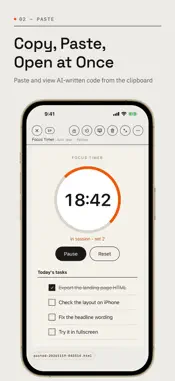
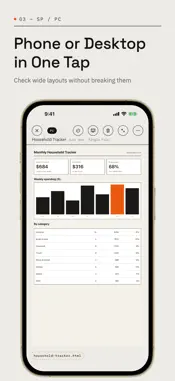
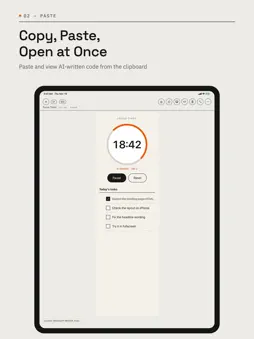
When you open an HTML file in the iPhone Files app, iOS just dumps lines of raw code on your screen. Buttons do not work, styles break, and Safari cannot open local file links. HTML Opener fixes that. It runs your HTML in a real WebKit browser directly on your iPhone and iPad. No Mac, no terminal, and no local server required. Version 2.0 gives every screen a new design. WHAT IT SOLVES - Files app dumps raw code and text on screen instead of rendering the webpage - Safari has no address bar option to open local file:// links - You want to run HTML an AI just wrote without saving it to a file first - Setting up a local server on your computer just to check mobile layout is tedious PASTE COPIED HTML, OPEN IT AT ONCE Copy the HTML from an AI chat app, tap Paste, and the page runs right away. No need to save a file first. You can export the pasted HTML to the Files app to keep it. Export is free. COMMON ACTIONS ON THE + BUTTON Call up the actions you use most from the + button on the screen. REAL WEBKIT BROWSER RENDERING Built on iOS's native WKWebView engine. Buttons, forms, CSS styling, canvas animations, and modern JavaScript run exactly as they would in Safari. DESKTOP & MOBILE VIEW TOGGLE Switch between phone layout and 1024px desktop view with a single tap. Review horizontal dashboards, data tables, and desktop web tools without broken layouts. FULLSCREEN MODE Hide navigation bars and margins to give your web content the entire display. Web apps and tools feel like installed native apps. FOUR SIMPLE ACTIONS 1. Open a local HTML file with one tap 2. Quick Switcher to jump between recent projects 3. Auto-launch your primary tool as soon as the app starts 4. Clear cache, toggle dark theme, and customize display options WHO IT IS FOR - Anyone stuck when iPhone opens HTML as raw code - Developers and designers testing web prototypes on actual iOS hardware - Anyone running self-built dashboards, calculators, or tools on the go - Students learning web development who want instant mobile testing PRO (ONE-TIME PURCHASE, NEVER A SUBSCRIPTION) Removes ads completely. Pay once, use forever. Compatible with iPhone and iPad, iOS 17.0 or later. Stop dealing with raw code dumps. Open real interactive web pages with HTML Opener.
What's New
Version 2.0.2 2026-11-28
- Fixed garbled text when opening text files such as .md, .json and .py. - The in-app file picker now lets you choose text files other than HTML. - Minor improv...- Fixed garbled text when opening text files such as .md, .json and .py. - The in-app file picker now lets you choose text files other than HTML. - Minor improvements and stability fixes. Technical Analysis
Package Overview Basic metadata
Bundle ID
com.gashimalab.HTMLOpener Current Version 2.0.2
Minimum iOS 17.0
Package Size App Store Size
Package Metadata 0 / 0 version records
Detailed binary, privacy manifest, framework, and Info.plist results have not been indexed for this package yet. The verified App Store and archive metadata above remains available.
Developer Information
Known Version Records
0 version records with stored package metadata
Stored metadata does not guarantee a package is currently available to download.
| Details | Version / IDs | Version date | Action |
|---|