
Preview

Description
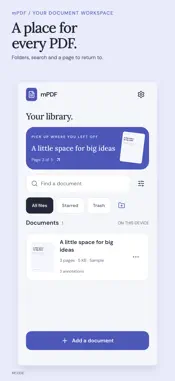
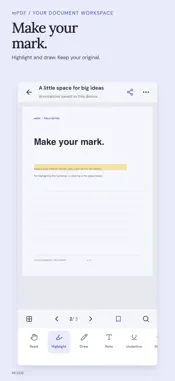
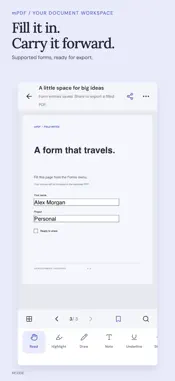
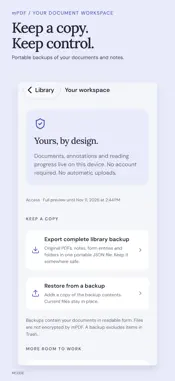
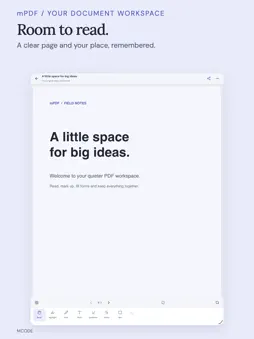
A clear workspace for your PDFs. mPDF brings your reading, notes and forms together without requiring an account. Import a PDF from Files, pick up where you left off and keep your library organized with folders, stars and search. READ WITH ROOM TO THINK Browse pages and thumbnails, search selectable text, keep page bookmarks, and choose single-page or continuous reading. Adjust the reading theme, margins and column fit. Text-to-speech reads supported document text while the app is open. MAKE YOUR MARK Highlight, underline, strike through, draw and add text notes. Fill supported PDF forms. Add a voice note when you choose to allow microphone access. Your imported original stays intact; your edits are stored locally and applied to an exported copy. PREPARE A COPY TO SHARE Export supported marks as standard PDF annotations, or choose a flattened copy. Merge PDFs, extract or rotate pages, and attach files to an exported document. Share, print, and export your complete library backup. YOUR FILES STAY WITH YOU Document content is processed on your device. There is no automatic cloud upload. Reading, search, bookmarks, printing, export of saved work and restoring your own backups remain available after paid access ends. ACCESS A seven-day full-app preview starts automatically on first launch. No card is required, it does not create a subscription, and it never charges automatically. After the preview, an optional monthly or yearly Pro subscription enables new documents and content edits. Store prices and renewal details are shown before purchase. Subscriptions renew automatically until canceled through your store account. COMPATIBILITY PDF imports are limited to 25 MB. Editing is unavailable for encrypted PDFs; supported password-protected files can be read with the password. OCR, proprietary DRM, embedded rich-media playback, XFA forms and certificate signing are not supported. Text-note export uses Latin fonts. Support: [email protected] Privacy policy and Terms: see the linked pages on this listing. Privacy: https://mcode-apps.web.app/mpdf/privacy Terms: https://mcode-apps.web.app/mpdf/terms Apple EULA: https://www.apple.com/legal/internet-services/itunes/dev/stdeula/
Technical Analysis
Package Overview Basic metadata
Bundle ID
com.mcode.mpdf Current Version 1.0
Minimum iOS 16.4
Package Size App Store Size
Package Metadata 0 / 0 version records
Detailed binary, privacy manifest, framework, and Info.plist results have not been indexed for this package yet. The verified App Store and archive metadata above remains available.
Developer Information
Known Version Records
0 version records with stored package metadata
Stored metadata does not guarantee a package is currently available to download.
| Details | Version / IDs | Version date | Action |
|---|