
Preview









Description
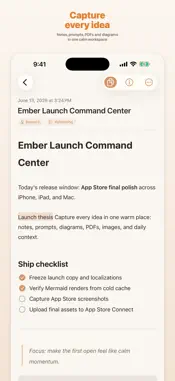
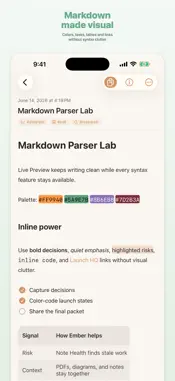
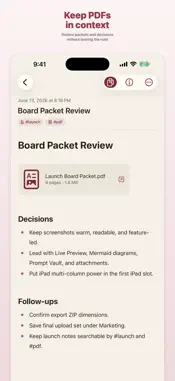
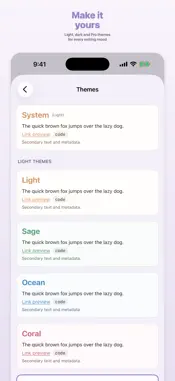
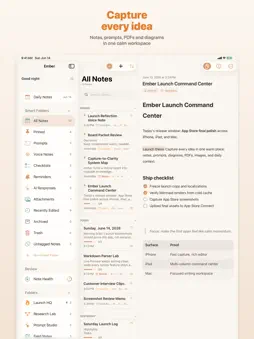
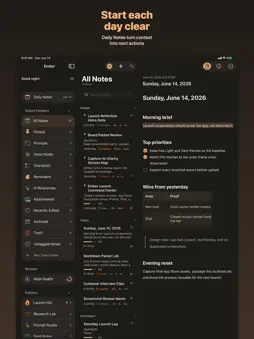
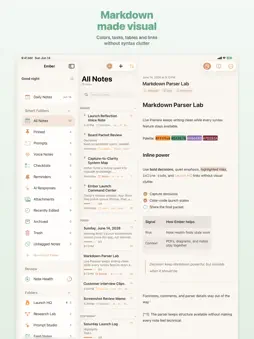
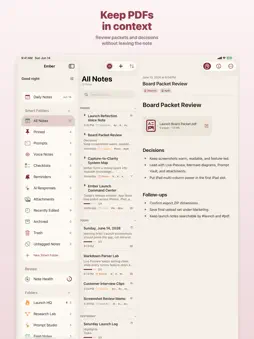
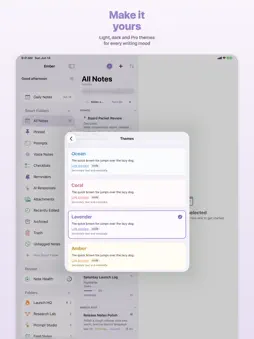
Your notes should feel like home. Ember is a warm, fast place to think — Markdown notes, PDFs, diagrams, voice memos, and a vault of reusable prompts, all in one calm workspace that syncs across iPhone, iPad, and Mac. WRITE IN RICH MARKDOWN A live editor with real formatting: headings, tables, task lists, links, highlights, footnotes, and code — rendered as you type, never in your way. Bullets, numbers, and checkboxes feel native and effortless. MORE THAN TEXT Drop PDFs, images, diagrams, and voice notes right inline. Your references live beside your writing, so everything about a thought stays in one place. A VAULT FOR YOUR PROMPTS Keep the prompts you reuse for writing, research, and planning in a dedicated Prompt Vault — organized, searchable, and a tap away when you need them. STAY ORGANIZED, STAY FAST Daily notes, folders, tags, smart filters, and pinned notes keep things tidy, and instant search finds anything the moment you look for it. YOURS EVERYWHERE Ember runs natively on iPhone, iPad, and Mac, with optional private iCloud sync, widgets, and a Share Extension for capturing from anywhere. FREE TO START Capture notes, PDFs, prompts, and attachments with the full editor — free, no account required. EMBER PRO Unlock advanced themes and alternate icons, premium writing and organization workflows, and deeper Prompt Vault tools, as a subscription or a one-time lifetime purchase. PRIVATE BY DESIGN No accounts. No ads. No selling your words. Your notes stay on your device and your own iCloud. Make a home for your thinking. Download Ember Notes. TERMS & PRIVACY Terms of Use (EULA): https://www.apple.com/legal/internet-services/itunes/dev/stdeula/ Privacy Policy: https://embernotes.app/privacy
What's New
Version 1.3.0 2026-11-25
What’s New in Ember 1.3.0: • For iPhone Duo users, open your Duo to see your notes and editor side by side. Keep your place as you move between its displays. •...What’s New in Ember 1.3.0: • For iPhone Duo users, open your Duo to see your notes and editor side by side. Keep your place as you move between its displays. • Scan documents into the note you’re working on. Start a scanned note from Control Center or Shortcuts, and return to an interrupted review. • Turn photos and scans into editable text. Review handwriting, translate recognized text, and preview your formatting before adding it. • Share images and files to a new note, an existing note, or today’s Daily Note. Keep a shared PDF as a file, add its text, or keep both. • Read a PDF beside your writing, then open it full screen on the same page. Browse files and photos together on larger note cards and see attachment counts on compact cards. • Play GIFs and animated PNGs, or group related photos into a carousel that stays together when you reopen the note. • Move through long notes more smoothly, find sections faster, and see sketch changes as soon as you return. With Ember Pro, search for words in your sketches. • Fill reusable prompts with multiline answers and preview the finished prompt before you copy it. • Map out a decision with a flowchart or plan a project on a Kanban board. Choose an illustrated Mermaid template or start from scratch, preview changes as you type, and edit your diagram in full screen. Share it as an image or copy its source. Technical Analysis
Package Overview Basic metadata
Bundle ID
app.ember.notes Current Version 1.3.0
Minimum iOS 26.0
Package Size App Store Size
Package Metadata 0 / 2 version records
Detailed binary, privacy manifest, framework, and Info.plist results have not been indexed for this package yet. The verified App Store and archive metadata above remains available.
Developer Information
Known Version Records
0 version records with stored package metadata • 2 known version records
Stored metadata does not guarantee a package is currently available to download.
| Details | Version / IDs | Version date | Action |
|---|---|---|---|
| Not archived | App Store ID: 888467044 | Unknown | Request Version |
| Not archived | App Store ID: 884356429 | Unknown | Request Version |