
Preview




Description
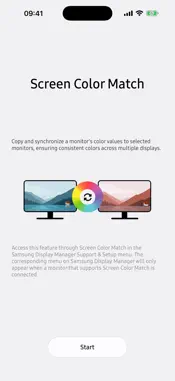
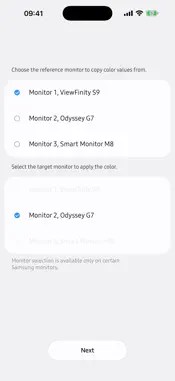
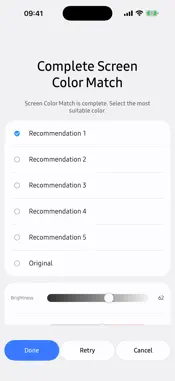
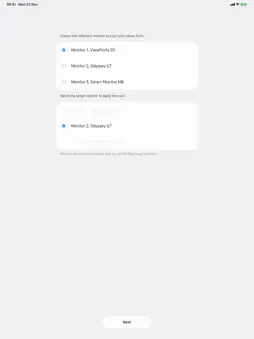
Screen Color Match makes two monitors on the same Mac look alike. Use it together with Samsung Display Manager on your Mac. Your iPhone or iPad works as the color sensor: it reads the screens through the camera and sends the measurements to the Mac, which adjusts the target monitor's brightness and color balance to match the reference monitor. HOW IT WORKS 1. On your Mac, open Samsung Display Manager and select Screen Color Match. A QR code appears. 2. Scan the QR code with this app. Your phone connects to the Mac over your local network. 3. Choose a reference monitor and the target monitor you want to adjust. 4. Hold the phone against the reference screen, then the target screen. Each scan is automatic. 5. Review the result and keep or fine-tune the recommended settings. WHAT YOU NEED • A Mac running Samsung Display Manager • A Samsung monitor that supports Screen Color Match as the target • Your iPhone or iPad and the Mac on the same Wi-Fi network PRIVACY Camera images are processed on your device. Only color values are sent, and only to your own Mac on your local network. The app has no account, no ads and no tracking.
Technical Analysis
Package Overview Basic metadata
Bundle ID
com.samsung.scmmobile Current Version 1.0
Minimum iOS 16.0
Package Size App Store Size
Package Metadata 0 / 0 version records
Detailed binary, privacy manifest, framework, and Info.plist results have not been indexed for this package yet. The verified App Store and archive metadata above remains available.
Developer Information
Known Version Records
0 version records with stored package metadata
Stored metadata does not guarantee a package is currently available to download.
| Details | Version / IDs | Version date | Action |
|---|